Can You Schedule Instagram Stories? Yes, Here Are 3 Ways
Yes, but not with Instagram's free scheduler. Use Meta Business Suite for free, a paid Meta One plan in the app, or a scheduling tool like Posteady.
On this page
Yes, you can schedule Instagram Stories, but not with Instagram's free scheduler, which handles only reels, photos and carousel posts.[1] As of November 6, 2026, you have three options:
- Meta Business Suite (free): schedule from your computer or the Meta Business Suite mobile app.
- The Instagram app with a paid Meta One plan (from $49.99 a month): schedule up to 30 days ahead.
- A scheduling tool such as Posteady: the tool publishes the Story for you through Meta's API, and you can schedule your other channels in the same place.
Meta Business Suite and scheduling tools need a professional (business or creator) Instagram account. Below, you'll find how each option works, what it can't do, and what to do if you have a personal account.
Key takeaways
- The free in-app scheduler doesn't do Stories. It schedules reels, photos and carousel posts for public accounts.[1]
- In-app Story scheduling is paid. It comes with the Meta One Advanced, Expert and Max plans, and only eligible accounts can use it.[2]
- Meta Business Suite is the free option. It schedules Stories on desktop and in its mobile app, for professional accounts only.[3]
- Scheduling tools can't add stickers. Meta's API doesn't support link, poll or location stickers on Stories.[4]
- Personal accounts need to switch first. Meta Business Suite and scheduling tools work only with professional accounts.
Your options at a glance
| Method | Schedules Stories? | Cost | Account type | How far ahead | Stickers and links |
|---|---|---|---|---|---|
| Instagram app, free scheduler | No | Free | Public | — | — |
| Meta Business Suite | Yes | Free | Professional | Not stated by Meta | Text, mentions, stickers and a link (desktop) |
| Instagram app with Meta One | Yes | From $49.99/month per profile | Eligible subscribers, not teens | Up to 30 days | Not stated by Meta |
| Scheduling tools such as Posteady | Yes | Depends on the tool | Professional | Depends on the tool | Mentions only |
Last reviewed: November 6, 2026. Meta changes these features often, so check the sources at the end of this post.
Not sure which one fits? Start with your account type:
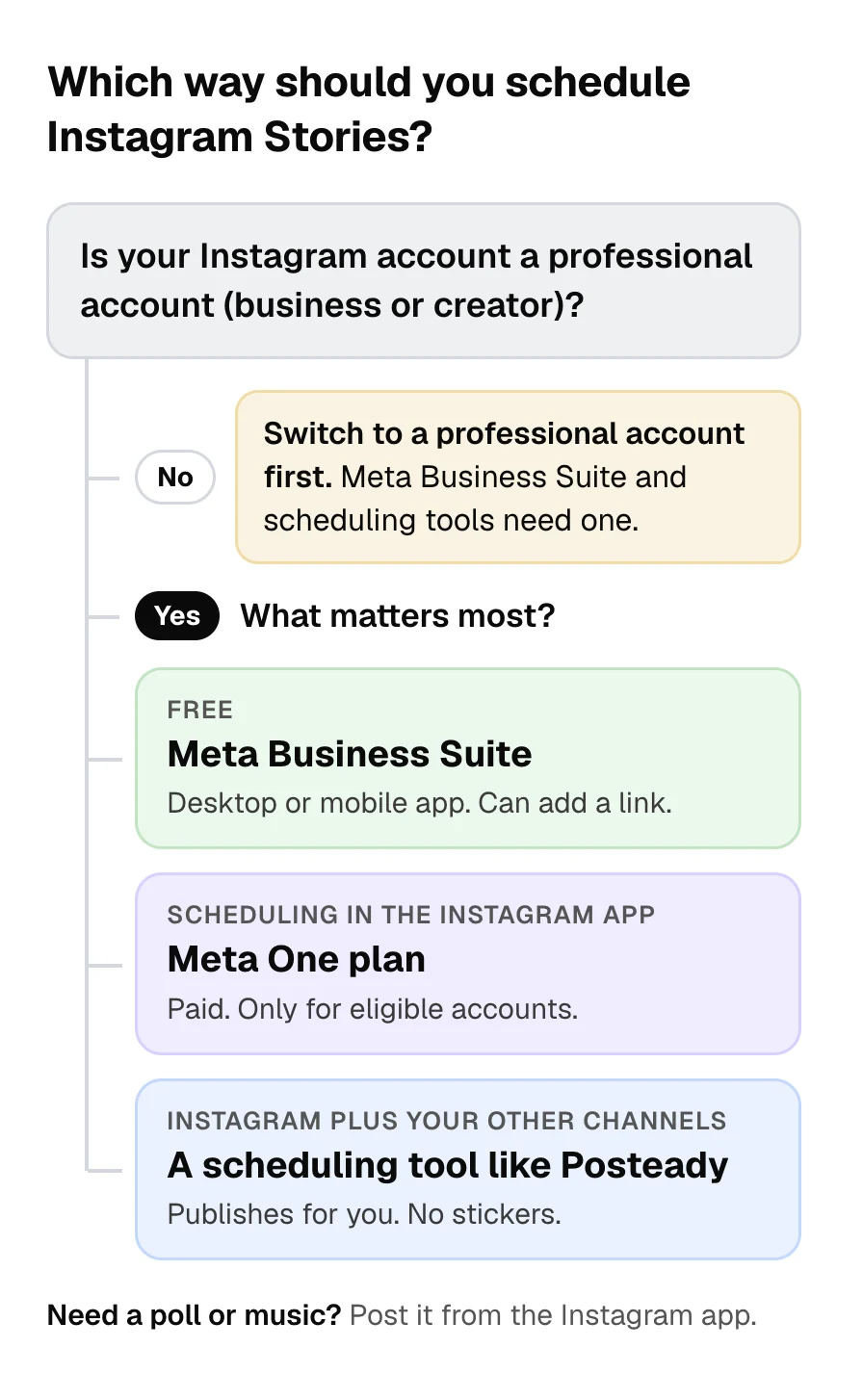
Method 1: Schedule Stories for free with Meta Business Suite
Meta Business Suite is free on desktop and in its mobile app.[5] It can schedule Stories for Instagram and Facebook.[6] Before you start, check two requirements:
- A business portfolio. Meta Business Suite uses it to hold your Instagram account, Facebook Page and other business assets.[5]
- A professional Instagram account. Only professional profiles can be added to a business portfolio. If you try to add a personal profile, you may be asked to set up a professional one.[3]
On desktop
- Go to Meta Business Suite and click Create story. You can do this from the home page or the Content tab.
- Under Post to, select your Instagram account. You can select your Facebook Page too.
- Under Media, click Add photo/video. You can upload up to 10 photos or videos.
- To edit a photo or video, click Edit. You can crop it, trim a video, and add text, mentions or stickers. To add a link that viewers can open when they swipe up, click Add link.
- Under Scheduling options, select Schedule, then select the date and time.
- Click Schedule.
To reschedule or delete a scheduled Story, go to Content > Stories > Scheduled, select the Story, and click the … icon.[6]
In the mobile app
- In the Meta Business Suite app, tap Content in the bottom menu.
- Select Stories at the top, then tap Create.
- Add your photo or video, then tap Next.
- Tap Schedule for later, select the date and time, and tap Schedule.[7]
How far ahead can you schedule? Meta doesn't state a limit for Instagram Stories in Meta Business Suite. Some guides say 29 days, but Meta gives that window (20 minutes to 29 days) for Facebook Page posts, not Instagram Stories.[8]
Method 2: Schedule Stories in the Instagram app with Meta One
You can schedule a Story in the Instagram app itself only with a paid Meta One plan. Instagram's free scheduler lets public accounts schedule up to 25 posts a day, up to 30 days in advance. But it covers reels, photos and carousel posts only, not Stories.[1]
On September 15, 2026, Meta started rolling out Meta One plans for businesses.[9] Story scheduling is part of the Advanced, Expert and Max plans.[2] Before you subscribe, keep these points in mind:
- You pay per profile. Advanced costs $49.99 a month, and "each plan covers one account."[9]
- You may not have it yet. Meta is rolling the plans out gradually and says plans, pricing and availability "may vary by region, by app, and by account."[9]
- Only eligible accounts can use it. Meta doesn't list the conditions, but it says the feature isn't available to teens.[2]
With one of these plans, you schedule a Story from the Story composer:[2]
- Tap + Create in the top left, then tap Story.
- Select a photo or video, or capture a new one.
- Tap the Share arrow.
- Select Schedule, then tap Share.
- Choose a date (up to 30 days in advance) and a time, then tap Schedule.
Instagram notifies you when the Story goes live. Advanced also includes other features, such as links in organic posts and Reels and exportable analytics.[9] If Story scheduling is all you need, Meta Business Suite does it for free.
Method 3: Schedule Stories with Posteady
Posteady is our social media scheduling and analytics tool for marketers, creators and agencies. Like other third-party scheduling tools, it publishes Stories through Meta's Instagram API, which works only with professional accounts, either business or creator.[10] At the time you set, Posteady publishes the Story for you, so you don't have to be on your phone. The main reason to use a tool instead of Meta Business Suite is to schedule Instagram together with channels outside Meta, such as TikTok, LinkedIn or YouTube, in one place.
How to schedule a Story in Posteady
- Connect your Instagram account. It must be a business or creator account.
- Click New post, then Create manually.
- Select your Instagram account and open the Stories tab. Stories don't support captions, so you only add media.
- Upload one photo or video. You can drag a file in or import one from your media library, Canva or Google Drive. A video can be up to 60 seconds long.
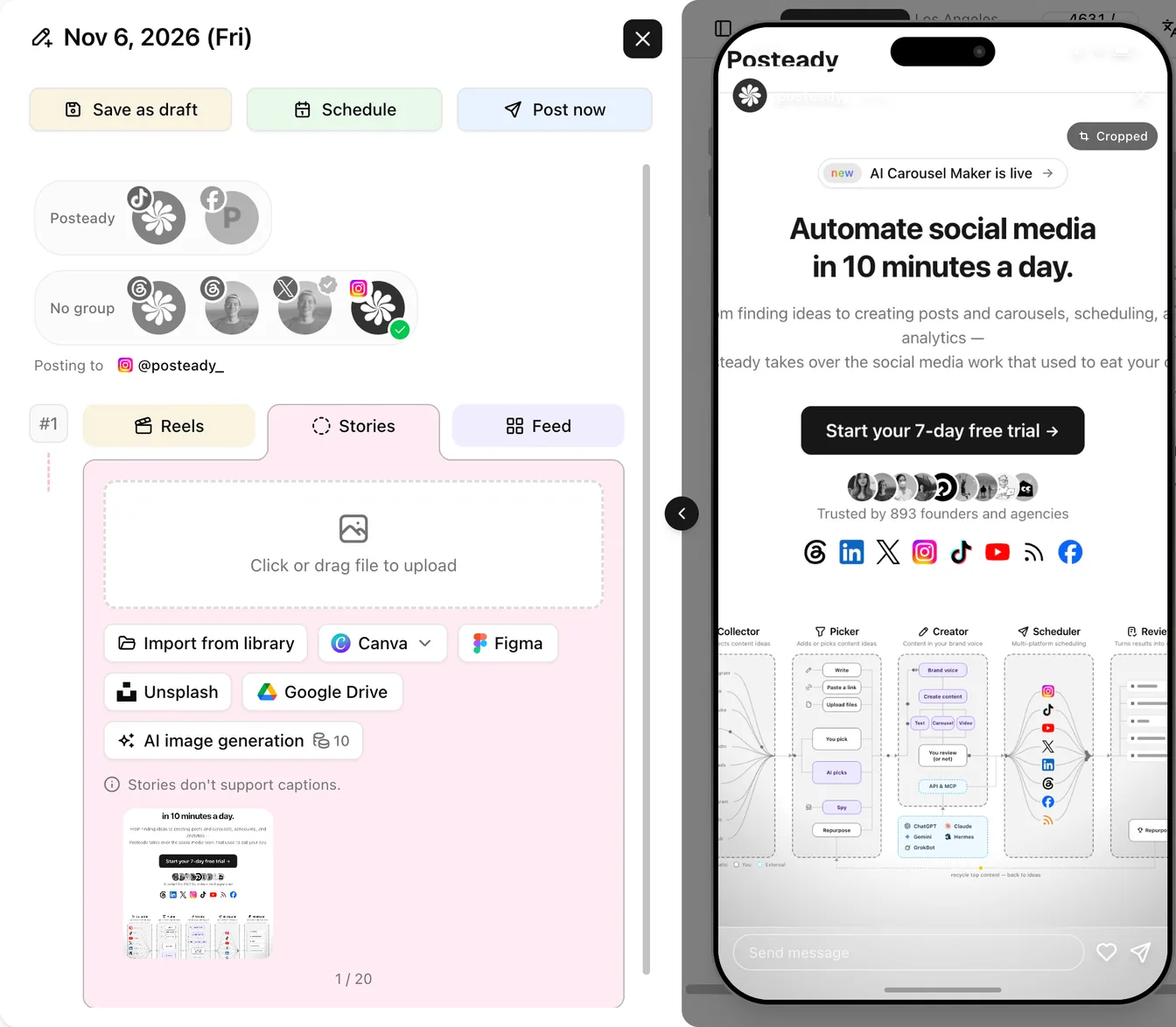 The Stories tab in Posteady. The phone preview shows how the Story will look.
- Click Schedule. Pick the date, time and time zone, then click Schedule to confirm.
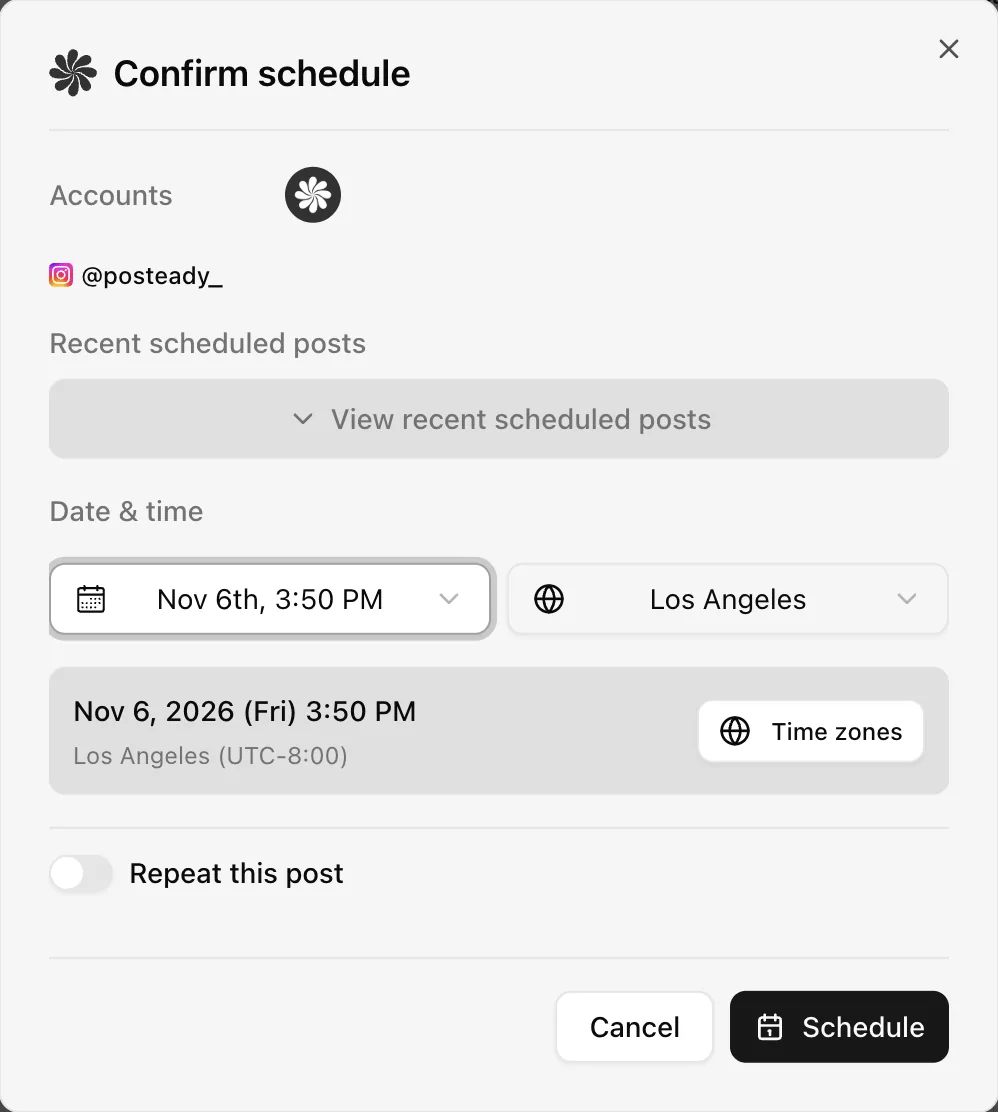 Pick the date, time and time zone for the Story.
Posteady publishes the Story at the time you set. We tested this on November 6, 2026, with our own Instagram creator account. The Story we scheduled for 3:50 PM went live at 3:50:10 PM. To see how Posteady schedules posts, Reels and Stories, go to Instagram scheduling in Posteady.
What scheduling tools can't do with Stories
Meta's API sets the same limits for Posteady and every other tool that uses it:[4]
- No stickers. Meta says, "Publishing stickers (i.e., link, poll, location) is not supported." You can still mention other accounts. Meta added mentions for Stories on July 9, 2025.
- No music. Meta's Audio API attaches music to Reels only, and Meta doesn't document a way to add it to Stories.[11]
- Videos up to 60 seconds. Story videos must be 3 to 60 seconds long and 100 MB or smaller.
- JPEG images. Story images must be JPEG files of 8 MB or smaller. Meta recommends a 9:16 aspect ratio to avoid cropping or blank space. To fit a photo to 9:16, use our free Instagram post size resizer.
If a Story needs a link, schedule it in Meta Business Suite, which has an Add link option.[6] If it needs a poll or music, post it from the Instagram app.
Can you schedule Stories on a personal account?
Not with Meta Business Suite or a scheduling tool. Both work only with professional accounts.[3][10] In the Instagram app, Meta says only eligible accounts with a Meta One subscription can schedule Stories, and it doesn't say whether personal accounts qualify.[2]
If you want to schedule Stories, switch to a professional (business or creator) account. Then you can use Meta Business Suite or a scheduling tool. A personal account can still use the free in-app scheduler for reels, photos and carousel posts, as long as the account is public.[1]
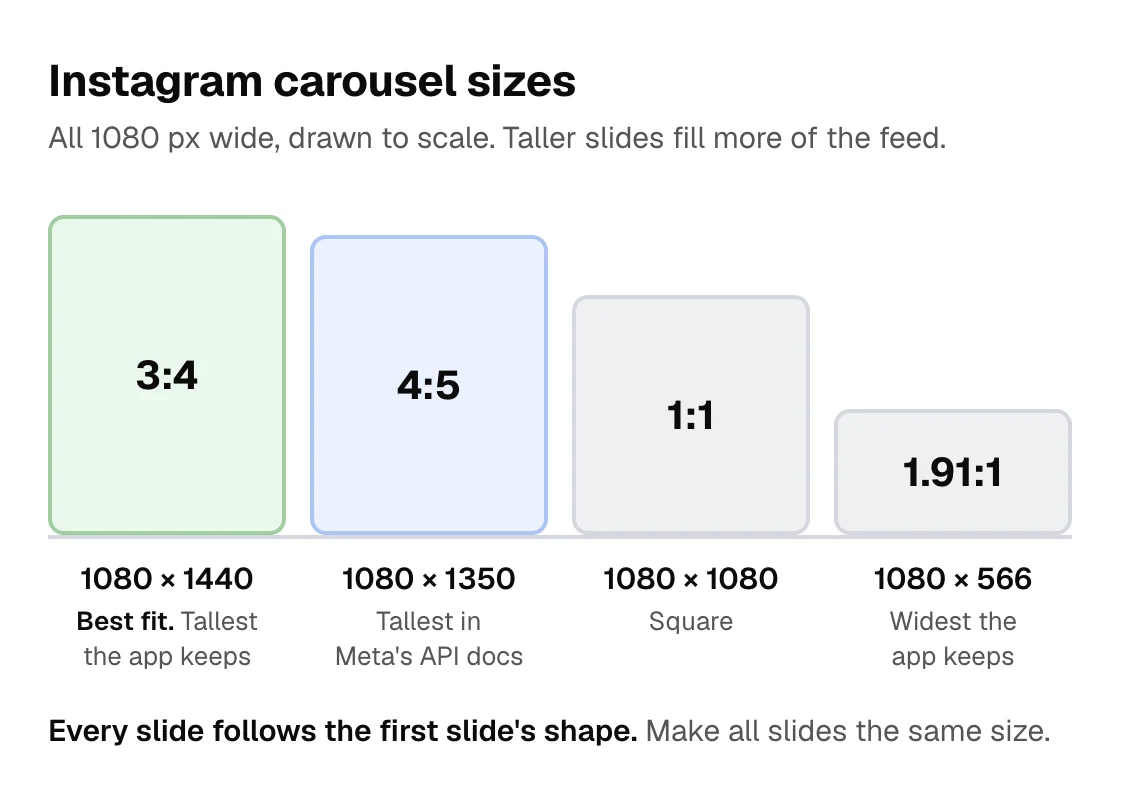
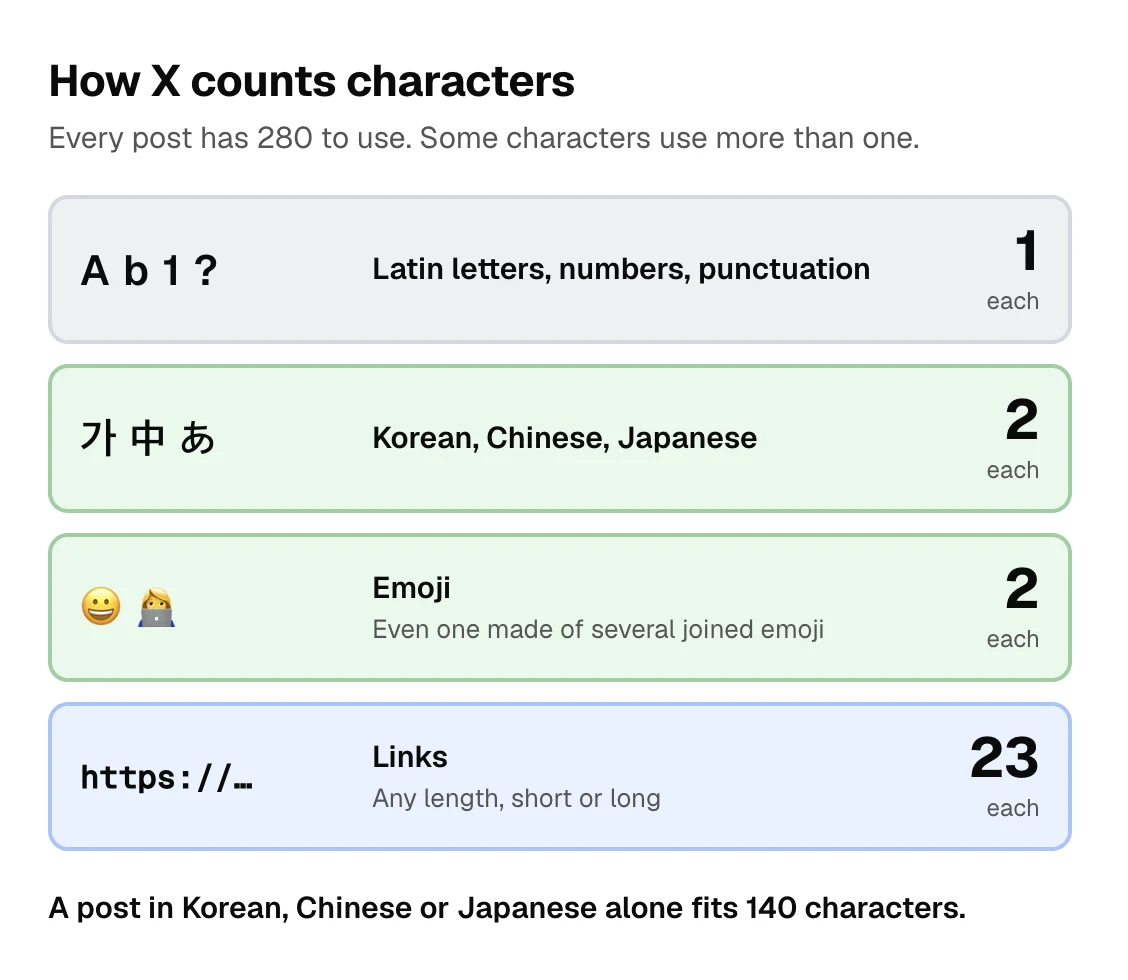
For carousel sizes, see Instagram carousel size. For caption limits on each channel, see social media character limits.
Frequently asked questions
Can you schedule Instagram Stories for free?
Yes. Meta Business Suite is free and can schedule Instagram Stories on desktop and in its mobile app. You need a professional Instagram account and a business portfolio.
Can you schedule Stories in the Instagram app without Meta One?
No. As of November 6, 2026, Instagram's free scheduler handles reels, photos and carousel posts only. To schedule Stories in the app, you need a Meta One Advanced, Expert or Max plan.
How far in advance can you schedule an Instagram Story?
Up to 30 days in the Instagram app with Meta One. Meta doesn't state a limit for Stories in Meta Business Suite. With a scheduling tool, it depends on the tool.
Can a scheduled Story include a link sticker or a poll?
Not through a scheduling tool, because Meta's API doesn't support link, poll or location stickers. In Meta Business Suite on desktop, you can add a link and stickers before you schedule, but Meta doesn't list which stickers you can use.
Can you schedule an Instagram Story longer than 60 seconds?
No, not as a single Story. Meta's API accepts Story videos of 3 to 60 seconds. In the Instagram app, a video longer than 60 seconds is split into several Story clips.[12]
Sources
-
Instagram Help Center, How to create and manage scheduled posts and Reels on Instagram. Checked November 6, 2026. ↩︎ ↩︎ ↩︎ ↩︎
-
Meta Help Center, How to schedule your story on Instagram with Meta One. Checked November 6, 2026. ↩︎ ↩︎ ↩︎ ↩︎ ↩︎
-
Meta Business Help Center, What to do if you can't add Instagram to a business portfolio. Checked November 6, 2026. ↩︎ ↩︎ ↩︎
-
Meta for Developers, IG User Media reference. Checked November 6, 2026. ↩︎ ↩︎
-
Meta Business Help Center, How Meta Business Suite works. Checked November 6, 2026. ↩︎ ↩︎
-
Meta Business Help Center, Create and manage stories in Meta Business Suite. Checked November 6, 2026. ↩︎ ↩︎ ↩︎
-
Meta Business Help Center, Schedule Facebook and Instagram content on Meta Business Suite mobile app. Checked November 6, 2026. ↩︎
-
Meta Business Help Center, Schedule a post and manage scheduled posts for your Facebook Page. Checked November 6, 2026. ↩︎
-
Meta for Business, Introducing Meta One plans for businesses, September 15, 2026. Checked November 6, 2026. ↩︎ ↩︎ ↩︎ ↩︎
-
Meta for Developers, Instagram Platform overview. Checked November 6, 2026. ↩︎ ↩︎
-
Meta for Developers, Instagram Audio API. Checked November 6, 2026. ↩︎
-
About Instagram, Instagram Stories. Checked November 6, 2026. ↩︎
Written by
Ryan Han · Founder
Ryan Han is the founder of Posteady, a social media scheduling and analytics tool for marketers, creators, and agencies. He builds the product hands-on, checks each platform's scheduling rules and limits against official docs and real posts, and writes up what he finds.