
 AI Content Repurposing
Repurpose one piece of content
into posts for every channel
Add a link, a file, some text, a long video, or your best posts. AI turns it into channel-ready posts, carousels, Reels, and short clips, and you schedule them to 7 channels at once.
How Posteady works
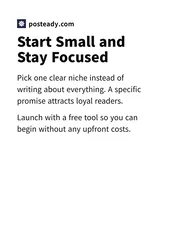
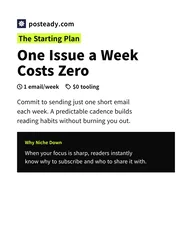
Drop in a link, image, video, text, or file and Posteady turns it into text posts, carousels, and Reels/Shorts, then publishes them to Instagram, TikTok, YouTube, X, LinkedIn, Threads, and Facebook.





























The right format for every source
Each source goes to the feature that fits it best. Every card leads to the full feature page.
Schedule it all to 7 channels at once
Publish to multiple platforms and get more reach!







Write one shared caption, tailor the tone and length for each channel, and schedule everything for when you want it.
Explore Social Media SchedulingRepurpose content in 3 steps
From one source to posts for every channel
- 1
Add your source
Drop in a link, a file, text, or a long video, or pick your best-performing posts.
- 2
Pick formats and generate
Choose channel posts, carousels, Reels, or short clips, and AI makes them.
- 3
Polish and schedule
Refine everything in the editor, then schedule it to 7 channels at once.

